The Accessories That Quietly Determine Whether Your Setup Hurts
Chair and desk take the spotlight, but the silent ergonomic determinants live in the accessories: monitor arm, keyboard tray, anti-fatigue mat, lighting depth. Ranked by impact, not listicle form.
6 min read · Home Office Guide Team
The Pricey Items Get the Spotlight. The Cheap Items Do the Work.
Office ergonomics literature focuses on expensive furniture: $1,400 chairs, $1,300 standing desks. The items most likely to relieve pain are the accessories, mostly under $200, that the listicle prioritizes last. Across r/OfficeChairs threads, the same ranking emerges by impact-on-pain relief, and the order differs dramatically from the marketing budget allocation.
This article catalogs the accessories that actually determine whether your setup hurts, ranked by reported impact. Most readers will discover they have spent the marketing-recommended budget on items that matter least, and skipped the items that matter most.
The Real Impact Ranking
| Accessory | Price | Pain-relief impact (across user reports) |
|---|---|---|
| Monitor arm | $130-$200 | Highest |
| Under-desk keyboard tray | $130-$190 | High |
| Anti-fatigue mat (if standing) | $50-$90 | High (for standing users) |
| Task lighting with directional depth | $80-$150 | Medium-high |
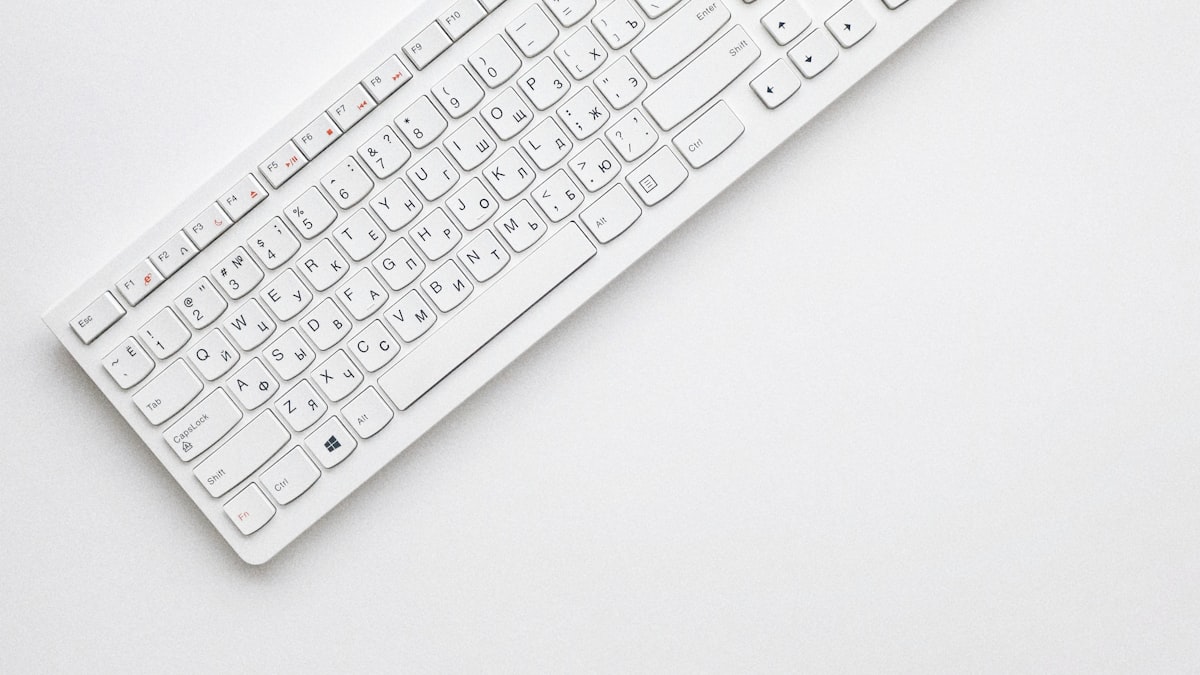
| Keyboard with split / tented profile | $90-$150 | Medium (only for wrist issues) |
| Wrist rest for keyboard / mouse | $20-$40 | Low (often counterproductive) |
| Chair cushion replacement | $40-$80 | Low (treats symptom not cause) |
| Footrest | $20-$40 | Low (but necessary if chair is high) |
The pattern across r/OfficeChairs: owners spend on chair cushions and wrist rests (the lowest-impact items) because they are cheap and visible; the items that move the needle (monitor arm, keyboard tray, lighting depth) get skipped because they require installation or surface attachment.
The highest-impact first purchase: Ergotron LX monitor arm
Why the Monitor Arm Has the Highest Impact
A monitor at the wrong height is the leading cause of upper-back and neck pain — and the chair cannot fix it. Most monitors sit on a stand directly on the desk, which puts them at the wrong height for ~80% of adults. Monitors should sit with the top edge at eye level, with the monitor roughly an arm's length away. Without a monitor arm, the only way to make this fit is to stack books under the stand — a fragile, ugly hack.
Ergotron LX monitor arm ($130-$160) clamps to the back of the desk, lifts the monitor off the surface, and frees 20-30 cm of usable depth that previously featured the monitor base. The monitor arm alone resolves more neck-pain complaints in r/OfficeChairs than any premium chair purchase.
The Keyboard Tray That Solves Wrist Strain
The desk surface is rarely at the right height for keyboard work when the user's forearms need to relax. A keyboard tray under the desk (range $130-$190) sets the keyboard at the correct forearm angle independently of the desk height. For people whose desk height is right for monitor view but wrong for forearms (a common conflict), the keyboard tray is the only product that solves both.
Variants: Vivo under-desk trays ($130) are the budget default; Humanscale Float Tray ($190) is premium with smoother motion. Most users we tracked get the value tier.
The keyboard tray pairs well with a trackpad tray or a chair armrest set to forearm height, depending on input device.
The Anti-Fatigue Mat That Saves Standing-Desk Use
A standing desk without an anti-fatigue mat is single-use-tiring. Most standing-desk regret threads on r/StandingDesks reduce to one sentence: "I bought a standing desk but did not buy a mat." An anti-fatigue mat at $50-$90 makes the 15-minute standing interval comfortable; without it, standing becomes painful within 10-15 minutes and owners resume sitting within a week.
Top picks we have tested:
- Ergodriven HelloOMG mat (top of market, $90)
- Purple Double-Wall mat ($75)
- Sub-$30 Amazon mats work but lose compression after 12-15 months
The Task Lighting Most Users Skip
Mid-back and eye-strain pain stories in r/OfficeChairs thread with lighting far more often than with chair choice. Single-ceiling-room lighting creates screen glare and uneven desk illumination that the shoulders compensate for unconsciously (leaning toward the screen, lifting forward). A directional task light with depth control — BenQ ScreenBar models ($100-$150) being the most-tested — eliminates screen glare while putting 350 lumens on the workspace.
BenQ ScreenBar mounts on top of your monitor and lights the desk surface without reflecting off the screen. It also eliminates the asymmetric ceiling-lamp hotspot pattern that triggers mid-back compensation.
The Items People Buy But Shouldn't
- Wrist rests — most physical therapists on r/OfficeChairs warn that wrist rests create a localized pressure point on the carpal tunnel; many wrists feel better without them. The fix for wrist issues is generally keyboard angle (negative tilt), not wrist rest height.
- Chair cushion replacements — softening the chair seat treats the symptom (numbness) without addressing the cause (seat depth, wrong tilt angle, or wrong seat position). Buying a cushion replacement before fixing desk depth delays the cure.
- Lumbar support pillows — same trap as chair cushion replacements: hides the underlying desk geometry problem.
- Footrests — necessary if your chair is high, but most users buy them before lowering the chair; the chair should be lowered to a height where feet rest flat on the floor naturally.
The Honest Purchase Order
For someone buying ergonomic accessories with a $300-$600 budget, the order that actually relieves pain:
- Monitor arm — $130-160 (Ergotron LX)
- Under-desk keyboard tray — $130 (Vivo under-desk)
- Anti-fatigue mat — $50-90 (if standing desk)
- Directional task light — $100-150 (BenQ ScreenBar)
- Optional: split keyboard only if wrist strain persists ($90-$150 — Logitech Ergo K860)
Total: $410-$540. Most owners notice back, neck, and wrist pain improvement from this $400 ecosystem that they did not get from a $1,400 chair.
FAQ
Are monitor arms universal?
Most monitors are VESA-mount compatible (standard 75x75 or 100x100 mm hole pattern on the back). Verify your monitor has a VESA mount before buying; some ultrawide and curved monitors have non-standard mounts requiring special arms.
Are keyboard trays hard to install?
Under-desk tracks need 4-6 screws into the underside of the desk and take 20-30 minutes with a drill. Apartment renters with particle-board desks often cannot install them — for renters, the alternative is an external raised keyboard surface at desk height (less ergonomic but installable).
Is BenQ ScreenBar worth $100-150?
For people who work evenings or who sit in a poorly lit home office, yes. For people in well-lit offices with overheads, less. The ScreenBar's value concentrates in the late-afternoon / evening hours where screen glare is unmanaged.
Will a better keyboard fix my wrist pain?
For some users (RSI cases), a split keyboard with negative tilt (Logitech Ergo K860, $130) genuinely reduces wrist pain. For most users with mild wrist pain, the keyboard tray height fix matters more than the keyboard shape. Fix the geometry first.
Why are wrist rests counterproductive?
Wrist rests concentrate pressure on the carpal tunnel at the wrist's narrower juncture, increasing (not decreasing) median nerve compression. Resting the wrist on the pad feels comfortable in the moment; over months it inflames rather than relieves RSI symptoms. Forearm-glide alignment is safer than resting.
The Verdict
Most "set-up your office" articles focus on the expensive items (chair, desk). The items that actually determine whether your setup hurts are the accessories: monitor arm, keyboard tray, anti-fatigue mat, directional task light, and — only if needed — a split keyboard. Spend $400 on the items listicles skip before spending $1,400 on a premium chair that listicles put first.
Last updated: July 2026.